Connect
From your website's page, follow the one-click setup for your tool of choice — Cursor, VS Code, Claude Code, or ChatGPT. You approve exactly what the connection may do.
AI editing · MCP
Your site speaks MCP — the standard connection that ChatGPT, Claude, Cursor, and other AI tools use to work with outside systems. Authorize once, then just ask your assistant to make the changes you'd otherwise type into a form.
How it works
From your website's page, follow the one-click setup for your tool of choice — Cursor, VS Code, Claude Code, or ChatGPT. You approve exactly what the connection may do.
Make requests in ordinary language: "update our hours for the holiday," "add the new menu," "swap the homepage photo." Your assistant does the work on your site.
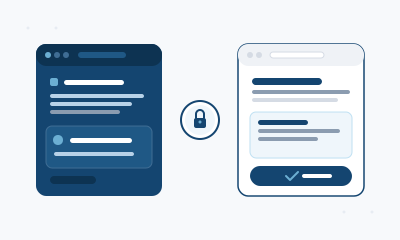
Every change comes back as a preview — the same preview-and- approval flow as every other change on the platform. Nothing goes live until you say yes.
Guardrails
A connection belongs to one person and one website. Your assistant can't wander into anything else, and you can see and revoke every connection from your site's page.
An AI edit is never a live edit. Changes arrive as a preview you inspect and approve — the identical gate that applies to edits you ask us for directly.
Your credentials are never handed to the model or stored in its context. The AI sees what it needs to do the work — not the keys to anything.
Disconnect in one click and the connection is dead immediately. No waiting, no support ticket, no residue.
Works with

One-click setup scripts add your site to your editor's MCP configuration.
Register your site with a single command or a config snippet.
Point a custom assistant at your site's endpoint and authorize with your account.
Any MCP-capable client works — your site speaks the open standard, so tools we've never heard of can connect too.
Invited members can connect AI editing today.
Get started